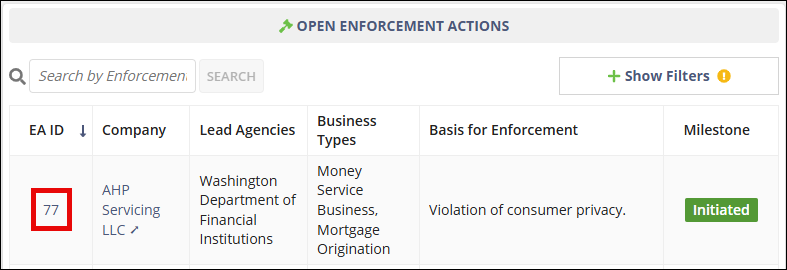
Enforcement Actions Homepage
The Enforcement Actions homepage is the main workspace for users working with enforcement actions in SES. From this page, users can initiate enforcement actions, review invitations to join multi-state enforcement actions, and access enforcement actions associated with their agency.
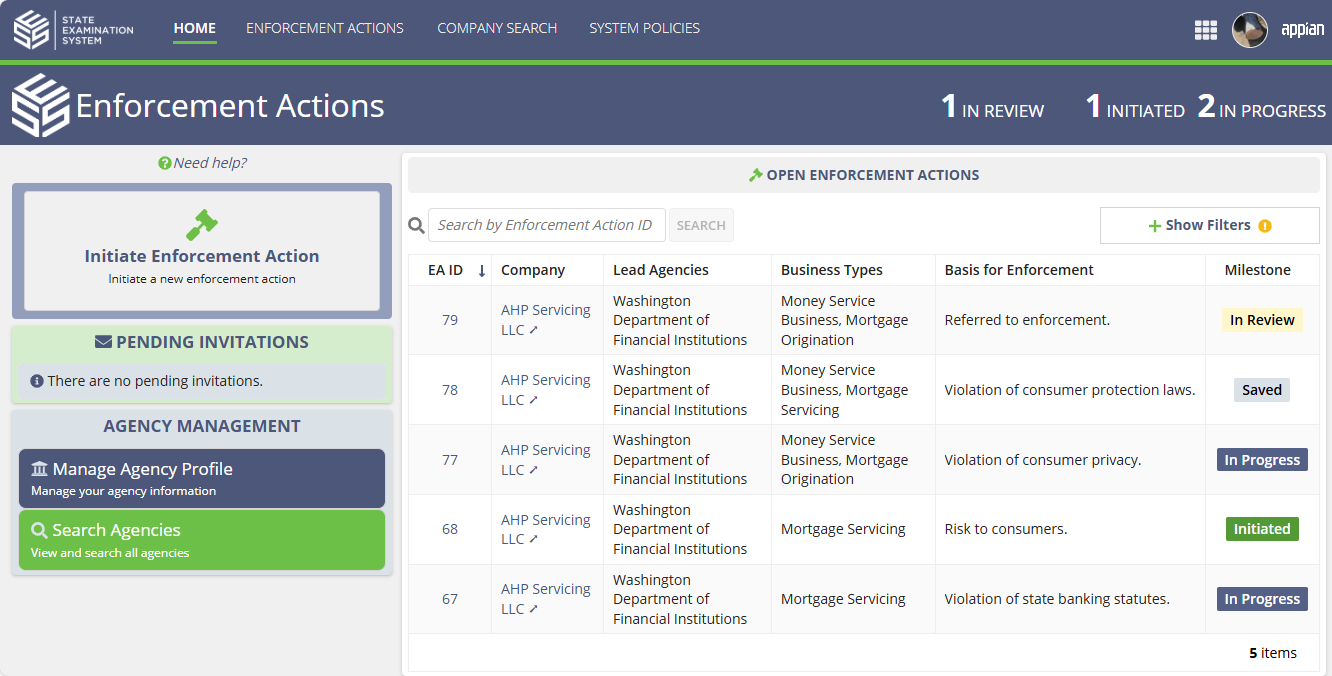
The Enforcement Actions homepage is the main workspace for users working with enforcement actions in SES. From this page, users can initiate enforcement actions, review invitations to join multi-state enforcement actions, and access enforcement actions associated with their agency.
Access
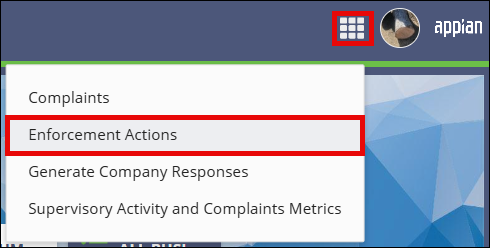

Navigation menu
The top navigation menu provides access to key areas of SES:
- Home returns you to the Enforcement Actions homepage.
- Enforcement Actions allows you to search and view enforcement actions across SES.
- Company Search allows you to search for companies that have a record in NMLS and may be associated with an enforcement action.
- System Policies provides access to SES policy information.
Enforcement action summary
A summary banner at the top of the page displays counts of enforcement actions by milestone. These indicators provide a quick overview of enforcement actions currently in progress.
- Initiated
- In Review
- In Progress
Initiating an enforcement action
Select Initiate Enforcement Action to begin creating a new enforcement action. See Initiating an Enforcement Action for steps.
Pending invitations
The Pending Invitations section displays invitations from other agencies to participate in multi-state enforcement actions. Invitations can be reviewed and accepted or rejected from this section. See Reviewing an Invitation to Join a Multi-state Enforcement Action for more steps.
Open enforcement actions
The Open Enforcement Actions grid displays enforcement actions associated with your agency. Users can search and filter the grid to locate specific enforcement actions.
Each row displays information about the enforcement action, including the enforcement action ID, company, participating agencies, business types, basis for enforcement, and the current milestone.