
Updating an Information Request in the Library
Staff users or directors can modify Information Request (IR) that are agency library items. CSBS maintains standard library items.
About this task
Tip: Use the Filters function
to limit the list of library items to those added by your agency.
Procedure
- Log into SES as a Staff Director or User role.
-
Click View and
Manage Library on the home page.

- Click the Information Reqeusts tab.
-
Note: If you know the ID of the item you wish to update, you can search for the item by Library ID. Otherwise, filter the list of items to show only those belonging to your agency.To find a library item:
- Optional:
Type the Library ID and click
Search.

-
Click Show
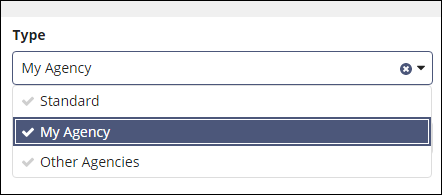
Filters, select My Agency from the
Type list, and click Search.

-
Scroll to the bottom of the page and navigate to
the next page until you find the Library item.
- Optional:
Type the Library ID and click
Search.
-
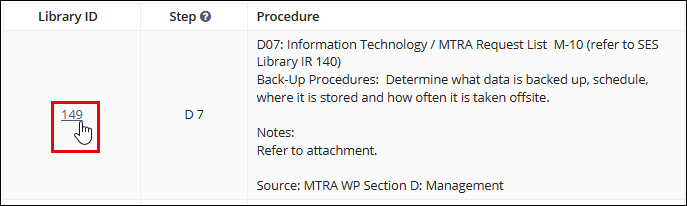
Click the Library
ID of the desired Library item.
-
Click Update Information Request.

-
Make the necessary changes to Business Type.
The Area for Review and Business Activities lists become available.
-
Make any necessary change to the Area for Review.
Note: You can select only one AFR.
- Make any necessary changes to the Business Activities.
-
Choose whether the item is core, non-core,
Based on IR Association.
Note: If you select the Mortgage Origination or Money Service Business business type, the Based on IR Association option becomes available:
- If the IR associated to the procedure being added is a Core IR, then the procedure will be Core.
- If the IR associated to the procedure being added is a Non-Core IR, then the procedure will be Non-Core.
- Select one or more Scope Types.
- Change the Information Request Text as necessary.
-
Drag any associated documents to the Upload Documents field, and click Upload.

-
Click Update Information Request.
