
Reviewing an Enforcement Action before Initiating
Review an enforcement action created from a supervisory activity referral and decide whether to initiate or cancel the enforcement action.
Before you begin
About this task
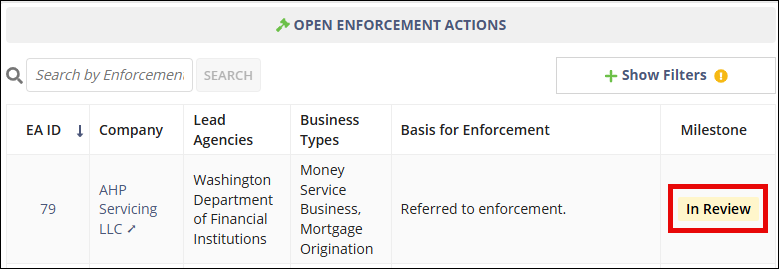
When a supervisory activity is closed with the disposition Referred to Enforcement/Legal, SES automatically creates an enforcement action record. The enforcement action is placed in an In Review status so enforcement supervisors can review the information before formally initiating the enforcement action.
During this review, you can examine the information that was carried over from the supervisory activity and determine whether to proceed with the enforcement action or cancel it.
Procedure
-
Access the Enforcement Actions area of SES.
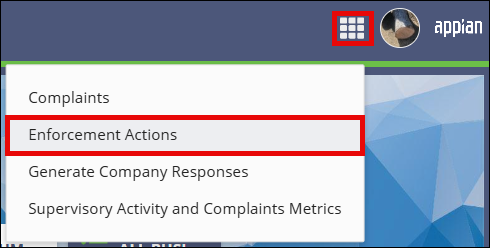

- On the Enforcement Actions homepage, locate the enforcement action in the Open Enforcement Actions section.
-
Select the EA ID link for the enforcement action you want to review.
- Select Review Enforcement Action in the upper-right corner of the page.
- Review the information displayed for the enforcement action.
-
Choose one of the following options:
- Select Initiate Enforcement Action to proceed with the enforcement action.
- Select Cancel Enforcement Action, enter the required comments, and confirm the cancellation.
Results
The enforcement action is either initiated or canceled based on your selection.