
Responding to the Report from the Respond to Report Package Task
How to respond to the report of examination from the Tasks section of the SES homepage.
About this task
All participants on the Supervisory Activity can view the report package but only the Company Lead assigned can respond to the report package.
Note: You cannot respond to any information requests or loan
requests on a supervisory activity once the report has been sent by the
agency.
Procedure
-
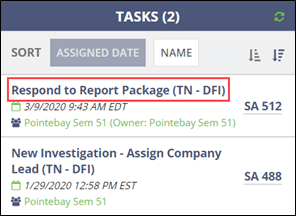
Click the Respond to Report Package task on the
homepage.
-
Review the information and documentation sent by the agency.
Note: Matters requiring attention (MRAs) may be included in the report package. All participants can view the MRAs and can draft the MRA responses but only the Company Lead can send the responses to the agency. Click the View MRA’s button to view and draft responses to MRAs.

-
Enter your response to the report and upload any supporting documents.
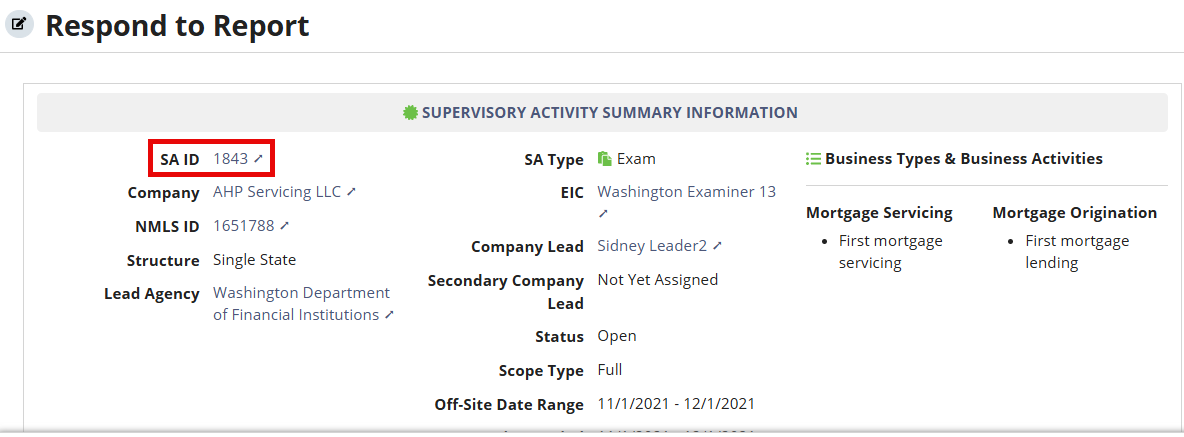
Note: To save and update your response before sending it to the agency, you must do it from the Report tab of the SA. Click the SA ID hyperlink in the Supervisory Activity Summary Information section of the Respond to Report task. See Responding to the Report from the Report Tab for more information.

-
Upload any necessary documents.
Note: See Uploading Documents for details on uploading documents.
-
Click Respond to Report.

Note: The agency is notified that the response was sent.