
Accepting or Rejecting an Invitation to Join a Multi-state Enforcement Action
Accept or reject an invitation to join a multi-state enforcement action after reviewing the invitation details.
About this task
When another agency invites your agency to join a multi-state enforcement action, the invitation appears in the Pending Invitations section of the Enforcement Actions homepage. After reviewing the invitation details, you can accept the invitation so your agency can participate in the enforcement action or reject the invitation if your agency will not participate.
Procedure
-
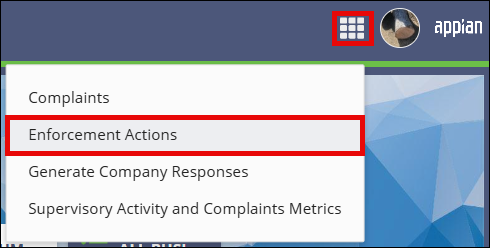
Access the Enforcement Actions area of SES.

-
In the Pending Invitations section, select Review
Invitation for the invitation you want to review.
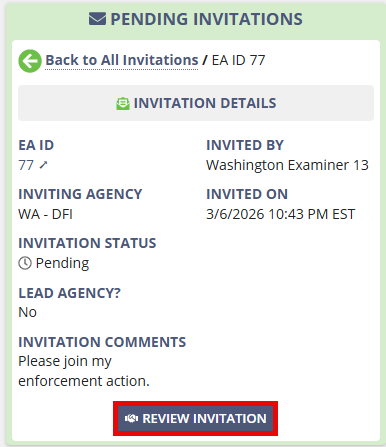
- Review the information displayed on the Review Invitation page.
- Review the Invitation Details.
-
Choose one of the following options:
- Select Accept Invitation to join the multi-state enforcement action.
- Select Reject Invitation, enter the required comments, and confirm the rejection.
Results
The invitation is accepted or rejected based on your selection.