
Managing Communications on an Enforcement Action
Send and review communications with other participants on an enforcement action.
About this task
The Communication page allows enforcement action participants to send messages to other users involved in the enforcement action. Communications can be sent to participants from your agency or to participants from other agencies that are participating in the enforcement action.
Each communication includes a subject and message body and may include document attachments. Recipients receive email notifications when a communication is sent.
Procedure
-
Access the Enforcement Actions area of SES.
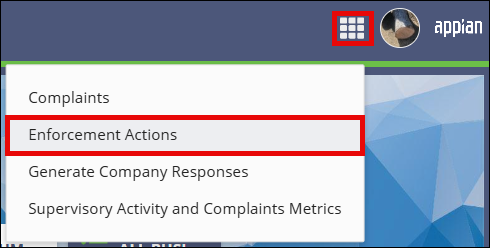

- On the Enforcement Actions homepage, locate the enforcement action in the Open Enforcement Actions section.
-
Select the EA ID link for the enforcement action you want to open.
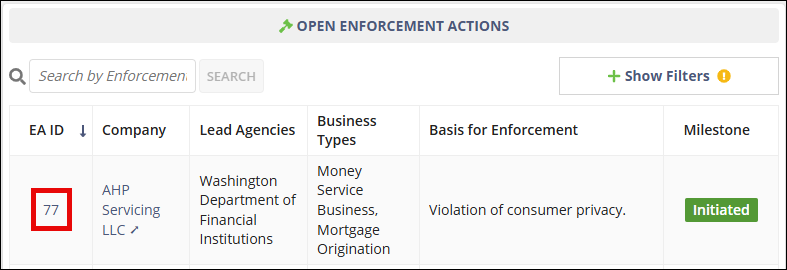
-
Select Communication.

- Select Send Communication.
- Enter a value in the Subject field and enter the message in the Body field.
- Select recipients by choosing All Participants or Select Participants.
- Optional: Upload documents to include with the communication.
- Select Send Communication.
Results
The communication is sent to the selected participants and appears in the enforcement action communication history.